Google My Business Description Character Limit is important for any local business that wants a clean online profile. This small section helps people understand what your business does before they call or visit. Google says the business description should be brief and should not go over 750 characters. It also appears in the “From the business” section of your profile.
Google My Business Description Character Limit is not only about counting letters. It is about using short space in a smart way. A good description can tell people what you offer, who you help, and why your service feels reliable. Do not try to say everything. Write the first lines with care because many people only scan before they decide what to do next.
Google Business Profile Description Guidelines
Google Business Profile Description Guidelines help you write a business summary that feels honest and useful. Your description should focus on real details about your business. It should not be filled with prices, sales, or short term offers. Google also says businesses should focus more on business details than promotions, prices, or sales in this field. Google My Business Description Character Limit works best when the message stays simple.
A helpful description should sound like a real person wrote it. Start with what you do. Then add who you serve and what makes your business worth choosing. Google My Business Description Character Limit allows you to build trust but does not allow for weak or extra lines. Don’t make big claims that feel empty. Don’t repeat the same keyword too many times.
Whatsapp Business Description Character Limit
Whatsapp Business description character limit is useful to understand because many businesses use WhatsApp and Google together. Google helps people discover your business through Search and Maps. WhatsApp helps people start a direct chat after they know you. Some sources describe WhatsApp Business profile descriptions as short text fields with about 256 characters, so that space is usually tighter than Google’s description field.
You should not use the same long description on every platform. Google My Business Description Character Limit lets you explain your services in a bit more detail. WhatsApp should feel quick and friendly because people open it to message you. Keep the WhatsApp version short. Keep the Google version more complete. This makes both profiles feel natural and helpful in their own place.
Google My Business Description Best Practices
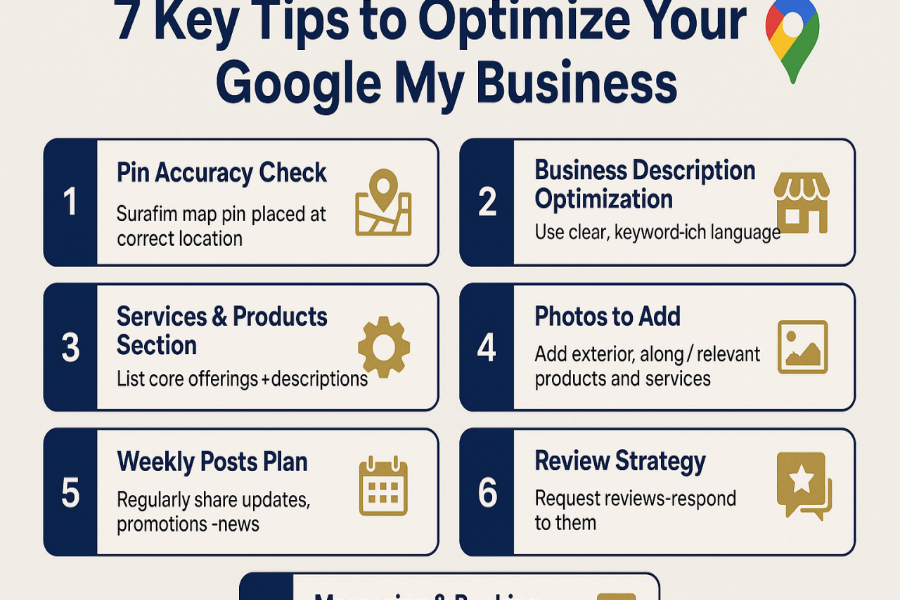
Google My Business Description Best Practices start with the first sentence. That first sentence should explain your main service in plain words. A customer should not have to guess what you do. If you run a clinic, salon, repair shop, agency, or store, say it clearly. Google My Business Description Character Limit becomes easier when you put the most useful details first.
The next part should show your value. If it makes sense, add your service area, experience, special focus, or customer type. Do not force every keyword into the text. That makes the description feel stiff. Write like you are explaining your business to a new customer. Google My Business Description Character Limit should help you sound clear, not robotic.
Google Business Profile Description Length Limit
Google Business Profile Description Length Limit is 750 characters for the business description field according to Google’s own help page. This means you need to choose your words with care. You cannot write a full about page here. You need a short summary that gives people enough reason to trust you and take the next step.
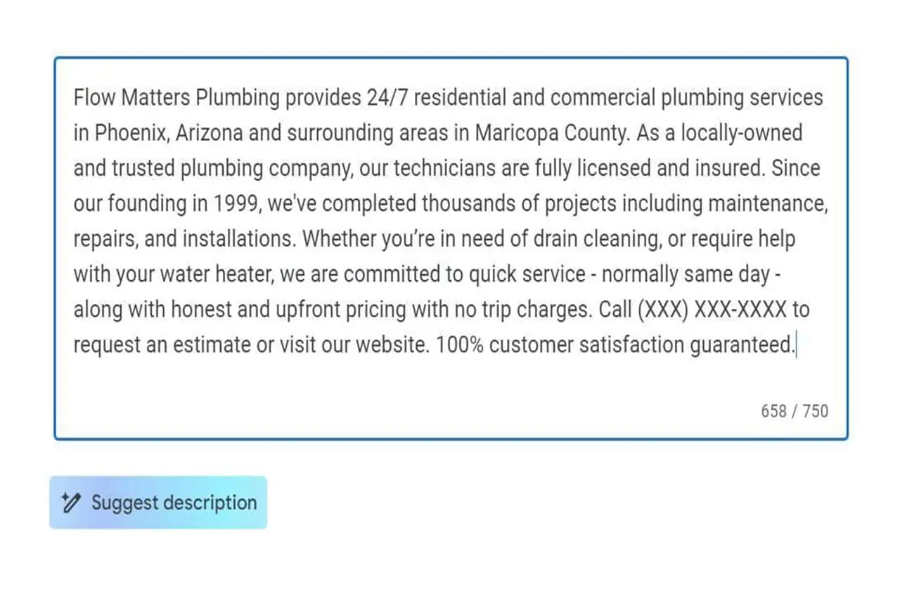
A good way to tackle the Google My Business description character limit is to write a rough draft first. Then cut all repeated ideas, long phrases and anything that doesn’t help the customer. Keep the message focused on what you offer and why it matters. Do not add every service if the list becomes too heavy. A clean description often works better than a crowded one.
Simple Writing Tips For A Better Profile
Simple writing can make your profile feel more human. Use short sentences. Use familiar words. Say what your business does without trying too hard to sound fancy. Customers usually want fast answers. They want to know if you offer the service they need. Google My Business Description Character Limit gives you a small space, so each sentence should have a clear job.
Read more: How to Start My Own Caregiver Business, What Makes 9 Simple Steps Powerful
Try reading your description out loud before saving it. If it sounds strange, rewrite it. If it’s too formal, warm it up. If it sounds like a list of keywords, make it smoother. Google My Business Description Character Limit should not make your writing feel forced. It should help you write a better and cleaner message for real people.
Final Thoughts
Google My Business Description Character Limit may seem like a minor detail but it can set the tone of the first impression of your business. A clear description helps customers understand your work faster. It also helps them feel more comfortable before they call, visit or send a message. Keep the writing honest. Keep it simple. Keep the most important details near the beginning.
The best description does not sound like a sales script. It sounds like a helpful business owner explaining what they do. Start with your main service. Add your local value. Share one trust point if it fits. Then cut anything extra. Google My Business Description Character Limit becomes easier when you think about real customers first and search engines second.
FAQs About Google My Business Description Character Limit
Q1. Google My Business Description Character Limit What is it?
That’s the most you can put into your Google Business Profile description. It’s limited to 750 characters.
Q2. Why does this character count matter?
Makes your business summary short and clear. Also helps the customers understand you quickly.
Q3. What should I write first?
Start with your main service. Then add who you help or where you work.
Q4. Description Can I add keywords?
Yes. Use keywords naturally. Do not repeat them too many times.
Q5. Do I have to add prices or offers?
No. Description should be about your business details and main services. Q6. Can I mention my service area?
Yes. If it helps customers know where you work, add your service area.
Q7. How can I make it sound more human?
Use easy words. Use short sentences. Write as if you’re talking to a real person.
Q8. Is Google My Business still the official name?
The current name is Google Business Profile. Many people still use the old name.